
During setup
After you pick a plan, onboarding shows Claim your D0 Agent: Your AI agent on Telegram — watching the market 24/7 and trading on your word. The card lists your agent (Agent · #4783) with the status Ready.- Click Continue. D0 sends a link request to Telegram and the status changes to Connecting.
- In Telegram, open the bot and tap Start.
- The status changes to Claimed and the card shows your agent’s handle, for example @yourname_d0_bot. Click Continue.
If the claim fails
Later, from Settings
Click your avatar in the top bar, then Settings → Account → Connected accounts. The Telegram row shows Not connected or your handle with connected, and a Connect or Disconnect button. Connecting here runs the same link request as during setup.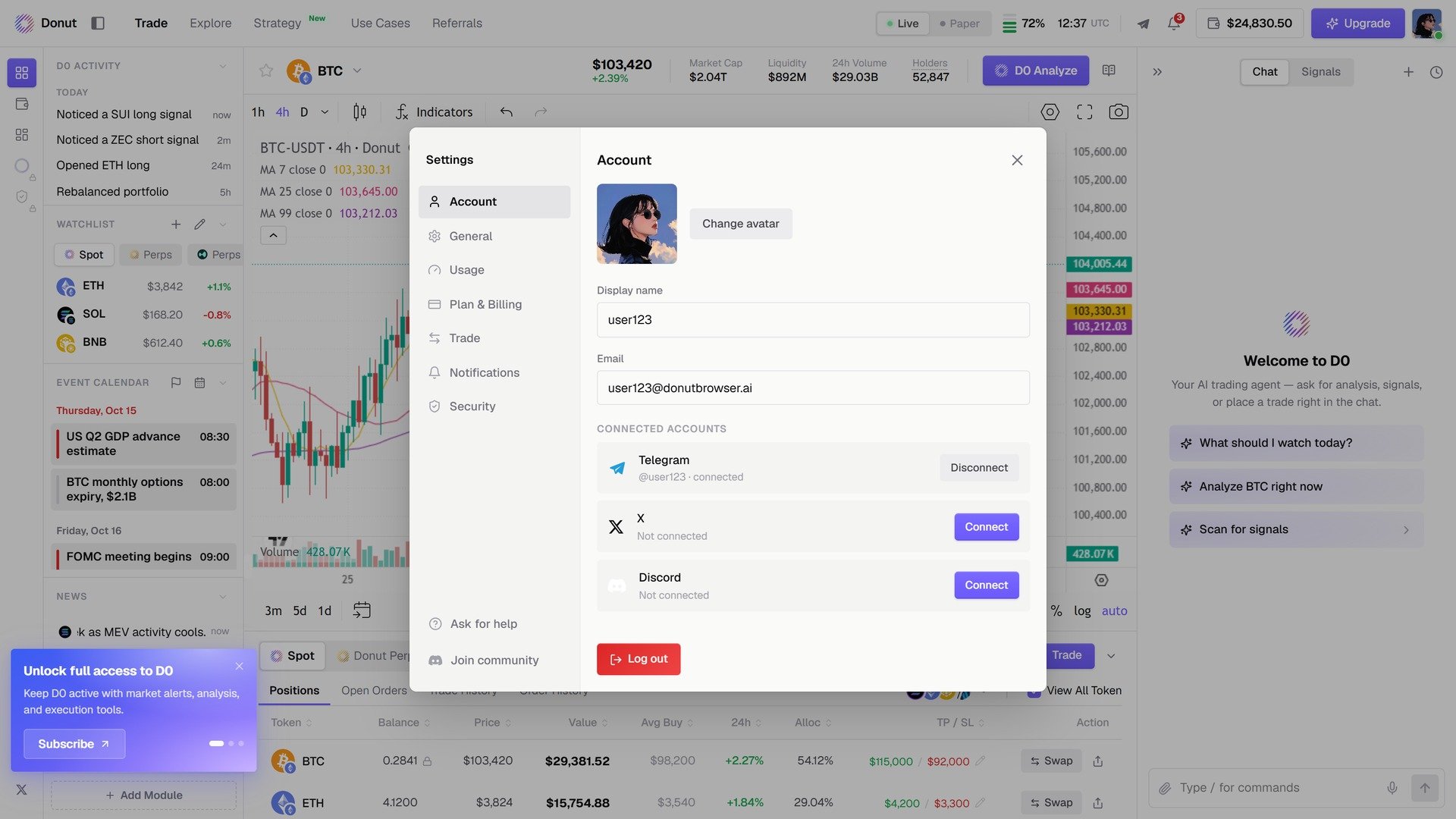
Connected accounts in Settings.
What arrives in Telegram
- Every price alert you set shows its channel on the card: Chat + Telegram once Telegram is connected. See Price Alerts.
- The signal sources you leave on under Settings → Notifications push to Telegram as they fire. See Signals.
- A scheduled task can ping you in Telegram if you ask for it when you set it up (Add a Telegram ping). See Scheduled Tasks & Automation.
- Chat is the same conversation. A question, a trade, or a voice message in Telegram is handled exactly as in the console, with the same preview and confirmation.
Things to know
- One Telegram account per D0 account. Your agent only answers the Telegram account you claimed it with.
- Trades still confirm. Nothing changes about permissions in Telegram; see Risk Controls.
- Disconnecting only stops delivery. Alerts, automations, and running strategies keep going; they just stop pushing to Telegram.