
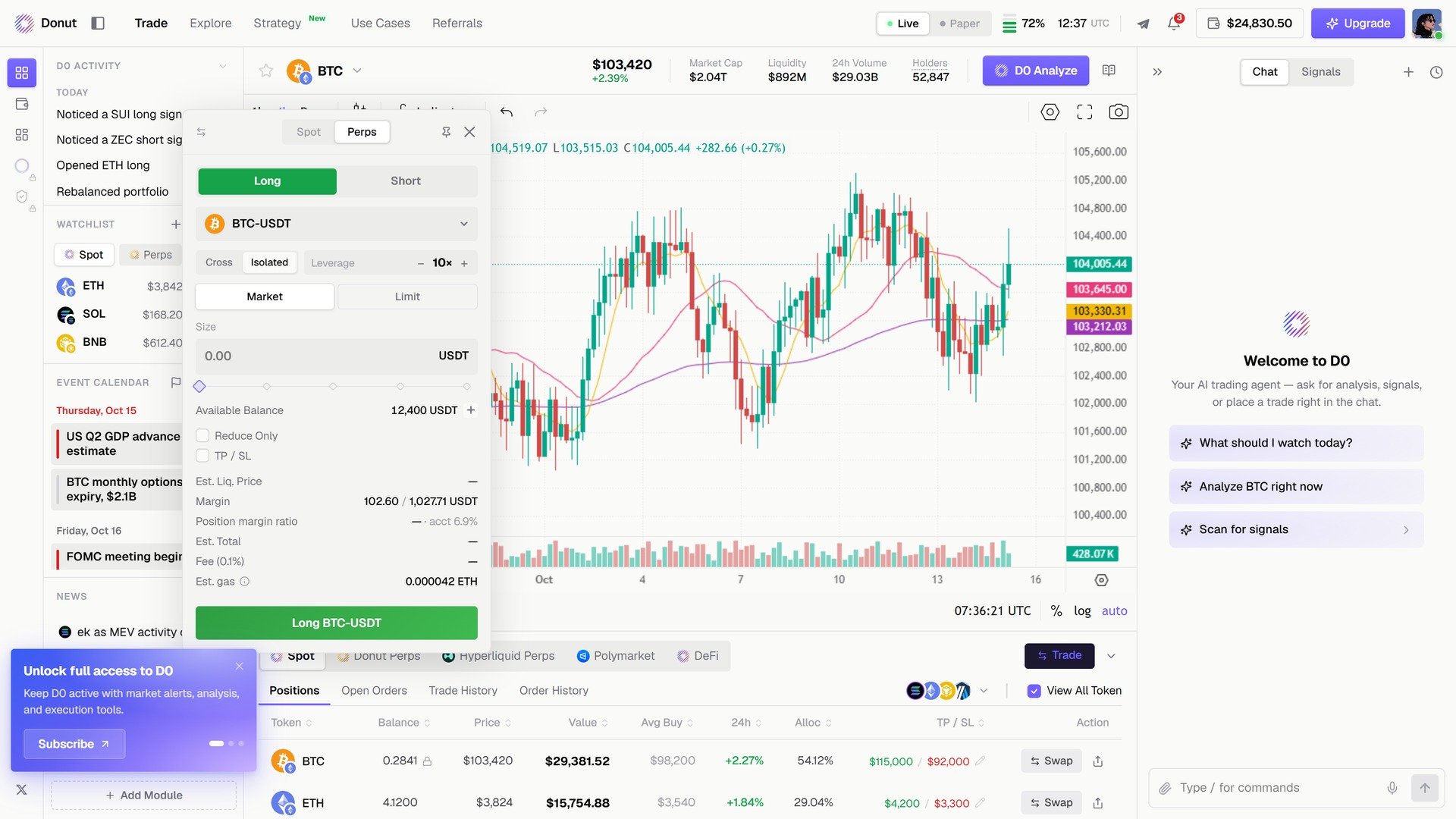
The Perps tab of the Trade modal.
Your first position
- Fund the venue. Open Portfolio in the left rail, click Deposit, pick Donut Perps, and send USDT. Then Transfer from the main account to a sub-account.
- Open the order. Select the market in the header, click Trade, switch to Perps. Choose Long or Short, set Leverage and Size, and optionally TP / SL. The modal shows Est. Liq. Price, Margin, and Position margin ratio before you commit.
- Confirm. Click the execute button (for example Long BTC-USDT), or say it in chat:
You: “Open a 10x long on BTC with 0.005 BTC” D0: “Order placed! BTC-USDT BUY MARKET 0.005 @ 10x Entry: $98,450 Position value: $492.25 Margin required: $49.23”
- Watch it. The Positions tab shows side, size, entry, mark price, PnL, leverage, and margin for each position.
- Close it. Click Close on the row, or say “Close my BTC position”. Either way it is a reduce-only market order, so it can never open a position in the opposite direction. Reduce Only in the modal does the same for partial exits.
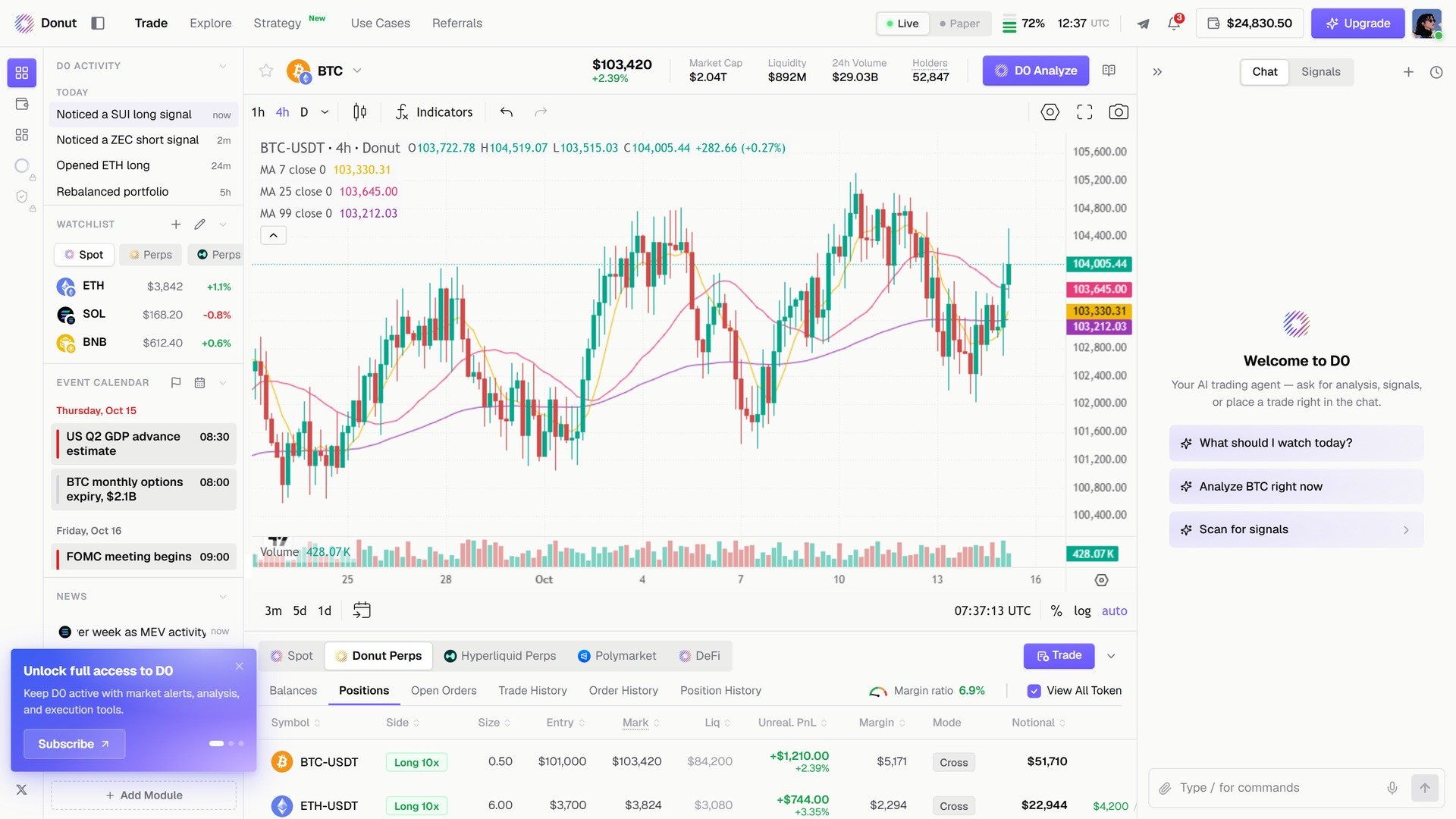
Donut Perps positions, with a Close button on every row.
Account structure
Deposits land in the main account; trading happens in a sub-account. Create one from the Transfer modal (New sub-account); deleting a sub-account sweeps its balance back to Main. “Deposit 500 to perps and transfer to sub-account” does both steps in chat. See Portfolio Overview for the Deposit, Transfer, and Withdraw modals.Leverage and margin
Leverage is set per order and defaults to 10x. Your initial margin is 1 / leverage: 10x locks 10% of the notional, 50x locks 2%, 150x about 0.67%. The maintenance margin rate (MMR) is tiered by asset, and a lower MMR is what lets an asset go to a higher cap. Donut Perps:
These apply across the 0 to 100M USD notional range. Hyperliquid caps are lower: BTC 40x, ETH 25x, SOL and XRP 20x, most other majors 10x, small caps 3 to 10x, with maintenance margin around 3%.
Caps and margin rates were verified in July 2026 and can change. The order modal shows the live values for the market you have selected.
- Margin mode. Donut Perps opens positions isolated, with a separate margin balance per position. Hyperliquid supports isolated or cross; the Cross / Isolated switch applies where the venue allows it. Your sub-account also carries an account-level risk snapshot across all of its positions, which is what account-wide protection acts on.
- Minimum order. Donut Perps: 100 USDT for BTC, 20 USDT for ETH, BCH, LTC, and LINK, 5 USDT for everything else. Hyperliquid: $10 notional.
- Funding. Perps use funding to keep the perpetual price close to spot: high positive funding makes longs expensive to hold, high negative funding makes shorts expensive. Donut Perps settles every 8 hours (00:00, 08:00, 16:00 UTC); Hyperliquid settles hourly. On positions you hold for a while, funding adds up more than the fee to open.
Liquidation
The higher your leverage, the closer Est. Liq. Price sits to your entry.
Insurance fund. If a little collateral is left after liquidation, it moves into the contract’s insurance fund (one per contract, created on the first liquidation). If a position blows through its margin, the shortfall is covered by the counterparty or market maker on the matching side. There is no socialized loss and no clawback: someone else’s liquidation never touches your profits, and the platform reconciles as a zero-sum book.
On Hyperliquid, liquidation follows HL’s own rules; the liquidation price uses HL’s official data where available and falls back to a local estimate only if it’s missing.
Take-profit and stop-loss
Set both in the TP / SL fields when you open, or edit them from the position row afterwards.
The trigger price can be last price (default), mark price (recommended, since it resists manipulation), or index price. If a stop doesn’t cover your whole position after you add to it, D0 warns you to top it up.
Donut Perps vs Hyperliquid
In the modal you trade the venue whose tab is selected; from chat, D0 picks Donut Perps by default and routes coins it doesn’t list to Hyperliquid, showing HL’s taker fee. That is per-asset routing, not a failover.Tips
- Start with low leverage. 5x or less while you’re learning; at high leverage a small move wipes the margin.
- Keep a buffer. If available balance is getting low relative to margin used, you are getting close to liquidation.
- Use limit orders for entries. Market orders fill at whatever price is available now.