
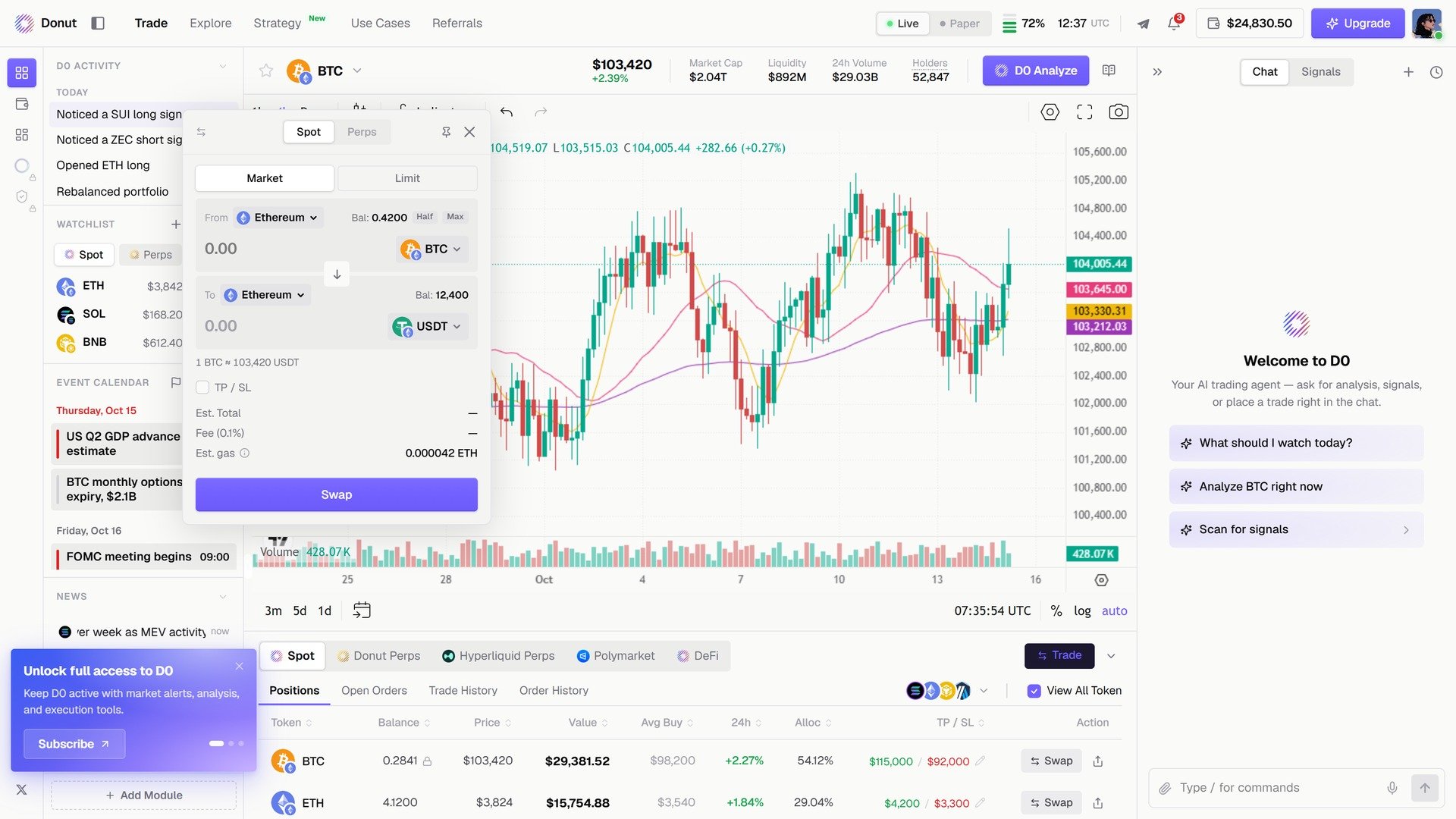
The Spot tab of the Trade modal.
What you can ask
Type / in the composer for the shortcuts: /trade opens the order modal, and /swap, /transfer, /balance, /positions, /alert, and /research prefill the matching request.
Preview, then confirm
Nothing executes until you say yes. D0 pulls a quote and shows the amount you’ll receive, the price per token, the price impact, the route, and the fees. In the modal that is the Est. Total, Fee, and Est. gas lines; in chat it is the quote card.You: “Swap 100 USDC to SOL” D0: “Quote: You’ll receive ~0.70 SOL for 100 USDC. Price: $142.35 per SOL Price impact: 0.01% Route: USDC → SOL via Jupiter Shall I execute?” You: “Yes” D0: “Transaction submitted! TX: 5abc…xyz. You received 0.6998 SOL.”If the numbers look good, click Swap or say yes. If not, cancel. The preview is the source of truth for price, route, impact, and slippage. Permission levels and the safety checks that can’t be switched off are in Risk Controls. Every row in the Spot positions table also has a Swap action, which opens the same modal with that token prefilled.
Limit orders
Pick Limit in the Spot tab and set the price and expiry, or describe it in chat. D0 monitors the market and fills the order when your price hits, so you don’t have to watch the chart.You: “Create a limit order to buy 1 SOL at $130” D0: “Limit order preview: Buy 1 SOL when price reaches $130 You’ll spend ~130 USDC Execute?”Pending orders live in the Open Orders tab under the chart, with the trigger price, how much has filled, and the status. Tell D0 which order to cancel.
Limit orders are Solana-only, routed through Jupiter and managed by D0’s backend. On EVM chains (Ethereum, BSC, Arbitrum, Polygon) spot trades are market swaps only.
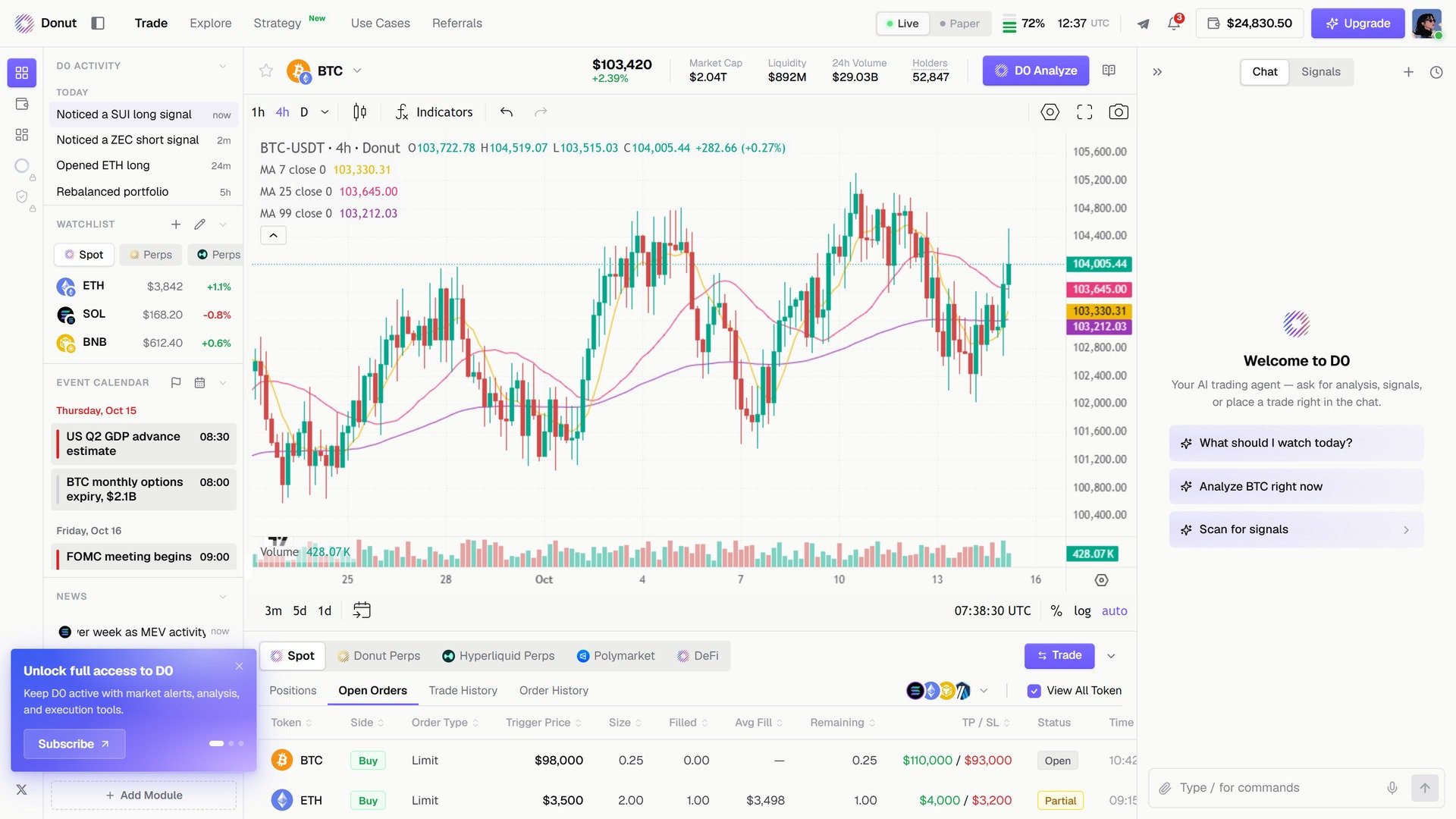
Open Orders: pending limit orders with trigger price, filled amount, and status.
Order status
Slippage and protections
Slippage is the gap between the price you expected and the price you got.
Perp market orders fill at the current price and have no separate slippage setting.
There’s no separate max-gas cap on a normal order. The only fronted-gas cap is on cross-chain arrivals (see Cross-Chain Swap).
Transferring tokens
Ask in chat, or start with /transfer.You: “Send 5 SOL on Solana to 9xQe…T3A” D0: “Transfer preview: Sending: 5 SOL ($711) To: 9xQe…T3A (Solana) Please confirm chain, token, and address. Execute?”A withdrawal to an external address always asks you to re-check the chain, token, address, and amount, whatever your other settings are.
Where your trades go
You don’t pick an exchange, chain, or DEX. D0 routes each order:
For perps you can choose the venue: the tabs under the chart (Donut Perps, Hyperliquid Perps) or a sentence like “do it on Hyperliquid”. For spot, the chain decides the aggregator. The Donut Perps vs Hyperliquid trade-offs are in Perpetual Futures.
Tips
- Use limit orders for better entries. Set the order at your ideal entry and let the market come to you instead of buying at whatever price is available now.
- Split large trades. If the price impact on a big swap is 2% or more, smaller trades move the market less against you.
- Keep some SOL for gas. Without a little SOL, a Solana transaction won’t go through.